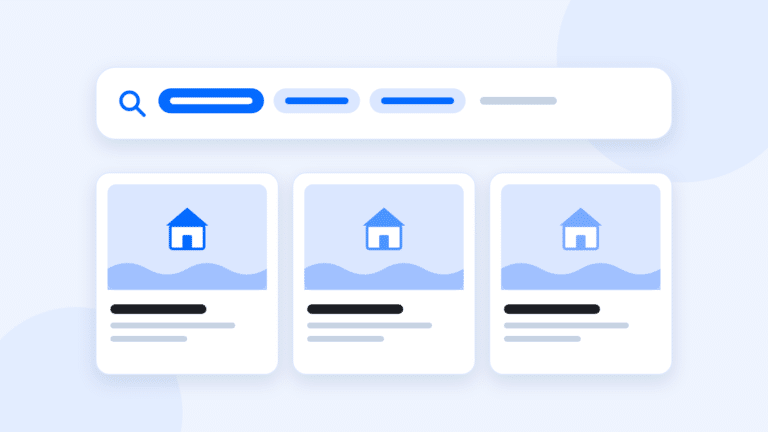
IDX keyword search lets buyers search listing descriptions and features with the words they actually use, like “mountain view,” “single story” or “guest house.” A good one understands exact phrases, words to skip and features like waterfront, so buyers find the homes they want on your site instead of going back to a portal.
Here’s how keyword search works, what to look for and how to put it to work on your pages.
Why keyword search matters
Filters handle the basics: price, beds, baths and home type. But buyers rarely describe their dream home in filters. They say things like:
- “A single-story with a pool and no HOA.”
- “Something with a view, but not a fixer.”
- “A guest house or an ADU for my mom.”
If your search can’t handle that, the buyer either scrolls through 200 homes or leaves. A keyword search that understands real estate language keeps them searching, saving and coming back.
What good keyword search understands
The best IDX keyword searches support a few simple patterns. You don’t need buyers to learn them, but you should know they exist when you’re comparing providers.
- Exact phrases. Quotes around “mountain view” find that phrase, not every listing that mentions a mountain and a view separately.
- Words to leave out. A minus sign, like -fixer, drops listings that mention it.
- Either one. (pool OR spa) finds listings with either word.
- Any ending. renov* finds renovated, renovation and renovations.
- A specific area. Something like subdivision:”North Ranch” limits results to one subdivision.
- Listing features. A search for waterfront should check the MLS’s waterfront field, not only the description.
That last one matters. Listing agents don’t always mention every feature in the description. A search that checks structured MLS fields and the description text catches more of the right homes.
Where keyword search looks
Ask your provider what fields keyword search covers. A thorough search checks:
- The public remarks, or listing description.
- Feature fields, like pool, view and waterfront.
- Location fields, like city, ZIP and subdivision.
- School fields, where your MLS provides them.
Which fields exist, and which you can display, depend on your MLS. Every MLS shares a slightly different set of data, and IDX rules limit what you can show publicly. Some fields, like private agent remarks, aren’t for public display at all.
Put keyword searches on your pages
Keyword search isn’t only for buyers. It’s one of the best tools you have for building pages that rank.
Generic listing pages rarely rank, since every IDX site shows the same homes. A page about something specific, with the right live search built in, has a much better chance. For example:
- “Single-story homes in Thousand Oaks” with a live search for “single story” in that city.
- “Homes with guest houses in Westlake Village” with a search for (guest house OR ADU).
- “Pool homes in Newbury Park” with the pool feature and a price range.
- “View homes in North Ranch” with “view” and the subdivision.
Add a short intro with what you know about that kind of home in that area, a few FAQs and your recent sales. Now you have a page with a reason to exist, and a buyer who lands on it can register to save a home or get alerts.
A note on fair housing
Keyword searches and the pages you build around them should describe properties, not people. “Single-story homes” and “homes near trails” are about the property. Avoid pages or searches framed around who a home is for, like families or retirees. This is general information, not legal advice. Check with your broker if you’re unsure.
Questions to ask a provider
- Does keyword search handle exact phrases, words to skip and either-or terms?
- Does it search feature fields as well as descriptions?
- Can buyers see and remove each part of their search?
- Can buyers save a keyword search and get alerts?
- Can I build a keyword search into a page on my site?
- Does it work the same on a phone?
Ask for a live demo using your own MLS data. Type in the phrases your buyers use and see what comes back.
The short version
Good keyword search understands exact phrases, words to skip, either-or terms and listing features. Use it to keep buyers searching on your site, and build saved keyword searches into specific, local pages.
GGMS keyword search supports all of those patterns, shows each part of a search as a chip buyers can remove and searches descriptions, features, locations, subdivisions and schools. See how it works on IDX websites, and read our guide to IDX websites for the rest of what makes an IDX site work.