To check if ChatGPT recommends you, open a temporary chat, ask the same questions a buyer or seller in your area would ask, and write down who it names and which sources it cites. Run the same prompts every month, because AI answers change from day to day and from person to person.
One check tells you very little. A simple log, kept for a few months, tells you a lot: whether you show up, what the AI thinks you do and which pages it trusts to say so.
Set up a fair test
ChatGPT can remember things about you. If you’ve chatted with it about your business, it may mention you just because it knows who’s asking. That’s not what a stranger sees.
- Use a temporary chat, or a browser where you’re signed out. Either way, the answer shouldn’t lean on your history.
- Make sure the answer uses web search. When it does, you’ll see sources or links under the answer. If there are none, ask it to search the web.
- Put the place in the question. Don’t rely on ChatGPT guessing where you are. Ask about “Newbury Park” or “Thousand Oaks,” not “near me.”
- Never put your own name in the first prompt. You want to know if it comes up on its own.
The prompts to use
Write the questions your clients actually ask, in their words. Here’s a starting set. Swap in your city, your neighborhoods and your niche.
- “Who’s a good real estate agent in [city] for selling a home?”
- “Which agents know [neighborhood] well?”
- “I’m moving to [city] from out of state. Which agent should I talk to?”
- “Who’s the best agent in [city] for [niche: probate, condos, horse property, first-time buyers]?”
- “I need to sell an inherited house in [county]. Who should I call?”
- “Compare the top 3 agents in [city] for a move-up buyer.”
Then ask two follow-ups on every answer: “Why did you pick them?” and “Which sources did you use?” The reasons show what the AI believes about each agent. The sources show where it learned it.
What to record
Keep a spreadsheet. One row per prompt, per assistant, per month. Track these columns:
- Date and assistant (ChatGPT, Gemini, Perplexity, Copilot, Google AI Mode)
- The exact prompt
- Were you named? If so, in what position?
- Which other agents were named
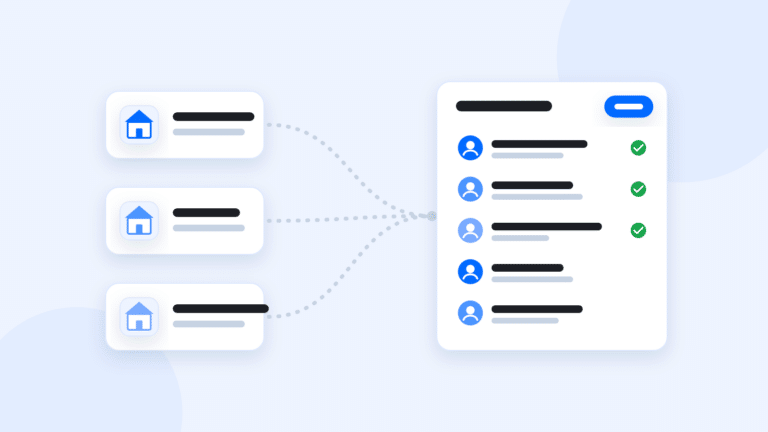
- Which sources were cited: your site, your Google Business Profile, a portal profile, a news story, your brokerage page
- What it said about you, and whether anything was wrong
The last column matters most. If ChatGPT says you work a city you left 3 years ago, or calls you a buyer’s agent when you mostly list, that wrong detail came from somewhere online. Find it and fix it.
Check the other assistants too
Your clients don’t all use ChatGPT. Run the same prompts in Gemini, Perplexity, Microsoft Copilot and Google’s AI Mode. Each one draws on different sources and different models, so the answers will differ.
Don’t chase each one separately. If you’re missing from all of them, the problem is the information about you online, not any one tool. If you show up in some and not others, look at which sources the winners cite. That’s usually the gap. If Copilot or ChatGPT never seems to find your site, it’s worth checking that your site is verified in Bing Webmaster Tools as well as Google Search Console.
Read the sources, not just the names
The names in the answer are the result. The sources are the cause. Here’s how to read them:
- Your site is cited. Good. Check which page. If it’s your homepage, the AI found you but not your expertise. Neighborhood pages and client stories give it more to work with.
- A portal or brokerage profile is cited, but not your site. Your own site isn’t saying clearly who you are, where you work and what you’ve done. Start with your About page.
- Another agent is cited from their neighborhood guide. They wrote the page you haven’t written yet. Write a better one.
- Nothing about you is cited at all. Make sure your name, phone and areas are the same on your site, your Google Business Profile and every profile you control.
What to do with the results
Most fixes are ordinary website and profile work. The AI search guide covers them in depth, and our post on AEO and GEO for real estate agents explains why that work is still SEO. In short:
- Rewrite your About page so a stranger could describe you in two sentences: how long you’ve been licensed, the areas you work and the clients you help.
- Build a real page for each of your top 3 to 5 neighborhoods. See how to write a neighborhood page that ranks.
- Ask every client for a Google review, and make it easy to mention the neighborhood and the type of sale. See how to ask for a Google review by text.
- Run your prompts again next month, and write down what you changed in between.
Be wary of anyone who promises to get you into ChatGPT. Nobody controls what these tools say. You can only give them clear, consistent, believable information to work with.
The short version
Use a temporary chat, ask the questions your clients ask, and log who’s named and what’s cited. Repeat monthly across assistants. When you’re missing, the sources tell you which page or profile to fix.
If you’d rather not run the prompts by hand, GGMS offers a free AI visibility check, and our AI search guide walks through the fixes in order. With Site Intelligence, your AI can find those fixes and draft them for your OK.