
Move your existing phone numbers into your GGMS CRM, so clients and leads can keep reaching you at the numbers they already know.
Important
Don’t cancel your current phone service until the port is complete. If you cancel early, your carrier may not keep the numbers, and you could lose them permanently.
What you’ll need
- The phone numbers you want to move
- The name and service address on your current phone bill
- A billing statement from the past 30 days, or access to your current phone account so you can take a screenshot
- 5 to 15 business days for the port to finish
Step by step
- Download the letter of authorization
Download the Twilio letter of authorization (LOA). Print it, or fill it out in a PDF app that lets you add text and a signature.
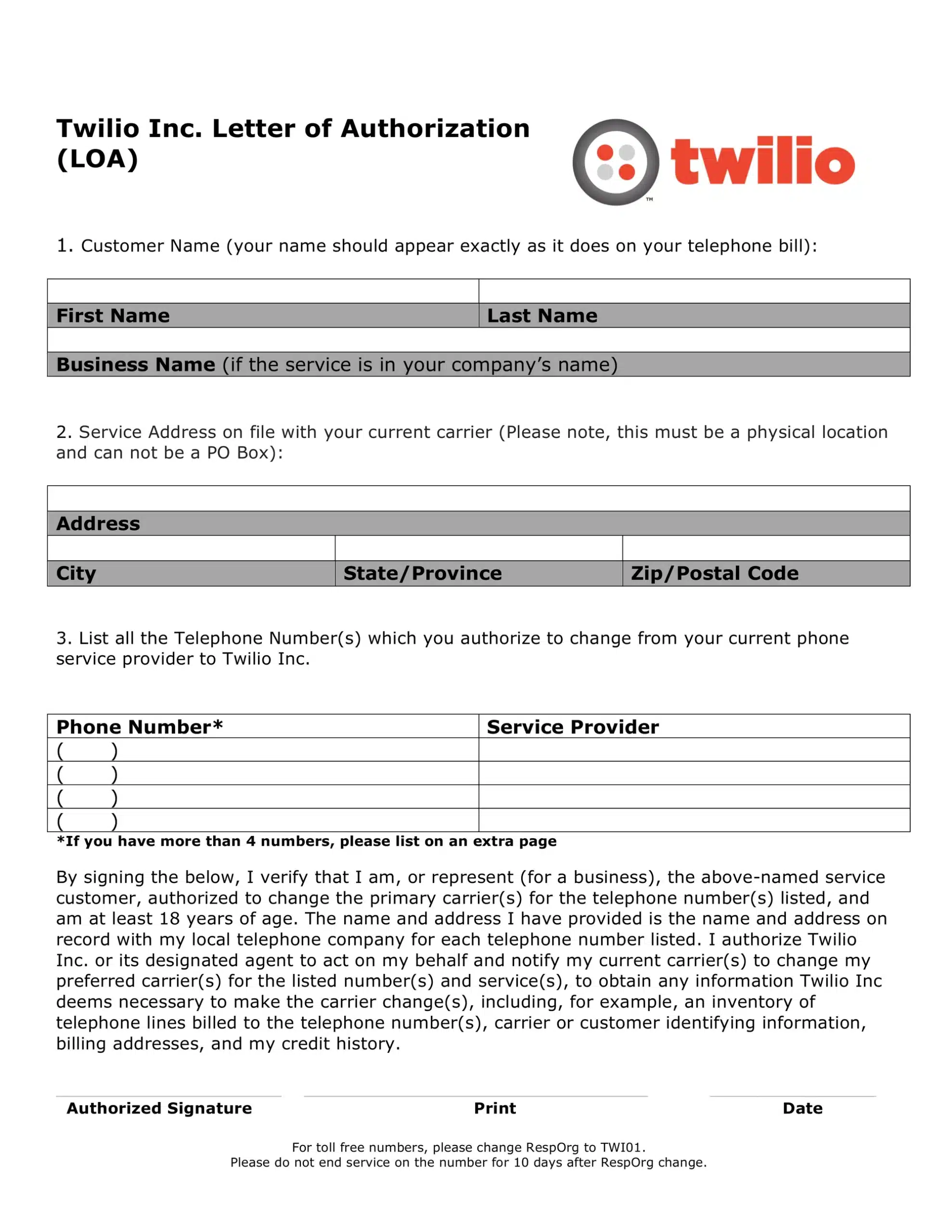
Fill out every section of the form, then sign and date it at the bottom. - Enter your name and service address
Write your name exactly as it appears on your phone bill, and add your business name if the service is in your company’s name. The service address must be a physical location, not a PO box. - List your phone numbers
Enter each number you want to move and the company it’s with now, which can be your current CRM. If you have more than 4 numbers, list the rest on an extra page. - Sign and date the form
Sign, print your name, and add the date at the bottom of the form. - Gather proof that you own the numbers
Download a billing statement from the past 30 days. If you don’t have one, take a screenshot of your account that shows the numbers and your name or organization name. - Take a screenshot of your Google Voice settings
If you’re porting a Google Voice number, open your Google Voice Settings page and take a screenshot. Make sure the phone number and your email both appear in it. - Email your documents to GGMS
Send the signed LOA and your proof of ownership to support@ggms.com.
Tip
If you’re porting a toll-free number and your current provider offers a Transfer to RespOrg option, enter TWI01 as the new RespOrg. This can make the transfer much faster. Don’t end service on that number for 10 days after the RespOrg change.
What to expect
Porting usually takes 5 to 15 business days. Keep your current phone service active until you hear from us.
When the port is complete, the GGMS team emails you and syncs the numbers into your CRM. Then assign each number to the right team member or to your agency.
Troubleshooting
Your port request was rejected
Port requests can be rejected when the documents aren’t correct. Check that the name and address on the LOA match your phone bill exactly. Then make sure your proof of ownership is a bill from the past 30 days, or a screenshot that shows the numbers and your name or organization name.
You’re moving a Google Voice number
Proof of ownership for Google Voice is a screenshot of your Google Voice Settings page, not a bill. Make sure both the phone number and your email are visible before you send it.